Your Booking and Airbnb reservations now appear alone on your pre-check-in panel
If you use Booking.com or Airbnb (or both at the same time, like most), you know what touches every time a new reservation comes in: open the platform, copy the name, the dates, return to your panel, create the pre-check-in by hand, send the link... Repeat a hundred times a month.
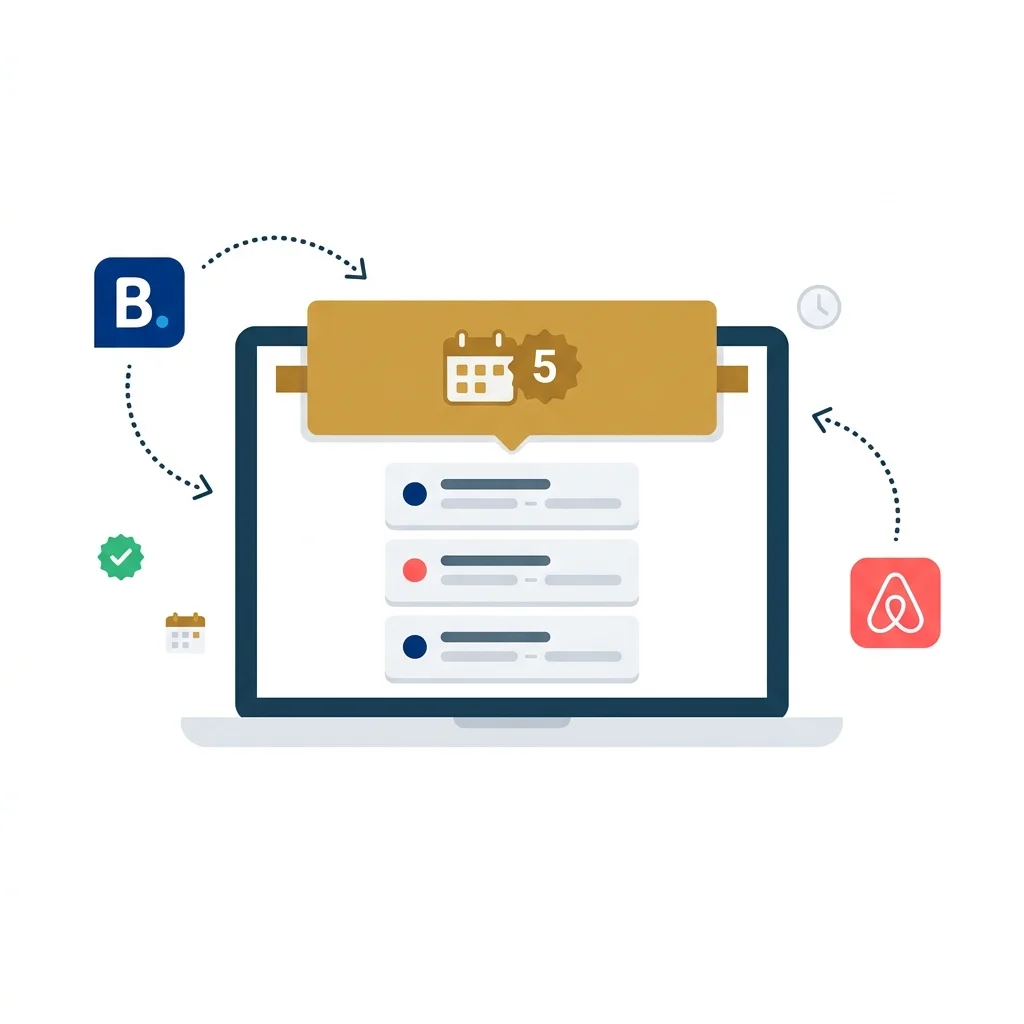
Well that's over. From today, seshospedajes.es Automatically detect new reservations that appear in your iCal Calendars of Booking and Airbnb, and present them to you on your ready-to-send pre-check-in panel. An email, a click, and the guest already has his link.
How it works, bluntly
It is a three-step process, and the first two are made by us:
- You connect your iCal calendar From Settings → Ical/PMS connections. You paste the URL of the Booking or Airbnb calendar (the same one you use to sync calendars between platforms). Once per establishment, and that's it.
- We read the calendar every 2 hours. We detect new reservations, discard the locks (“Not available”, “closed”) and past dates, and save only the actual reservations with future check-in.
- You see a golden band On your pre-check-in management screen with the reservations detected. You write the guest's email, press "Create", and the pre-check-in is automatically generated with the dates, name and establishment already filled out.
The Golden Band: Your Reservation Inbox
Every time you enter pre-check-in management and there are new unlinked reservations, you will see a golden warning at the top. It can be expanded with one click and displays each reservation with:
- The platform icon (Blue for Booking, Red for Airbnb).
- The guest name (if the platform sends it) or a field to write it.
- The Check-in and check-out dates, with number of nights.
- A urgency indicator If the check-in is in the next 2 days.
- an email field + button for Create the pre-check-in with one click.
- an x for discard Reservations that you do not want to manage.
When you press “Create”, three things happen at the same time: the guest is generated, the pre-check-in link is created with your UUID, and the reservation is marked as linked so that it does not appear again. All in one step.
What platforms work?
Any platform that offers a iCal Calendar (.ics). Today that includes:
- com — URL available on Extranet → Rates and Availability → Calendar Sync.
- Airbnb — URL available in Calendar → Availability Settings → Export Calendar.
- Channel Managers Like Smoobu, Hostaway, Guesty, Hospitable, and many more — if they expose a feed Ical, they work.
If your platform uses iCal (and almost all do), it works with seshospedajes.es.
Multiple establishments, multiple platforms
Do you have an apartment in Booking and another in Airbnb? Or the same in both? No problem. you can create One connection for each combination of establishment and platform. Each with its own URL iCal, its own synchronization state, and its own toggle on/off.
From Settings you will see all your connections as cards: the platform with its color icon, the establishment name, the latest sync, and a golden badge if there are pending new reservations. All at a glance.
Is it reliable? What if it fails?
The system is designed to be conservative. We prefer not to duplicate rather than lose something:
- Each reservation is identified by its Unique UID of the iCal event. If the cron detects it twice, it does not duplicate it.
- If a feed does not respond or returns something invalid, it is marked as an error and is retried on the next run. Reservations that have already been detected are never lost.
- Calendar locks (“Not Available”, “Close”, “Maintenance”) are automatically filtered. They do not come to you as false reserves.
- Reservations with check-in already past are ignored. You only see what matters to you: what is coming.
Do I have to install something?
No. Just paste a URL. You don't have to install apps, nor give API permissions, nor configure webhooks. It's a calendar URL, like the one you would paste on Google Calendar. The difference is that we use it to Convert your calendar to pre-check-ins ready to ship.
And the cost?
The iCal connection is included in all the Complete and Premium plans.
what comes after
This is the basis. The following we are preparing: Automatic reservation update (If you change the dates in Booking, they are updated here), Cancellation detection, and the possibility that the system directly sends the email to the guest without you having to press anything. Step by step, but with clear direction.
How to start, in 60 seconds
- go to Configuration → ICAL/PMS connections.
- Select your establishment and your platform (Booking.com or Airbnb).
- Paste the URL of the iCal calendar.
- In less than 1 hour, your reservations will begin to appear in Pre Check-in management.
As always: if you have doubts or feedback, Write us for support Or go through the WhatsApp channel. We do this together.